See how your world connects.
Your finds gather into a rotating 3D cloud. Move closer, pull back, and follow a detail somewhere new.
 Gather Things
IPHONE + MAC. ONE WORLD OF INSPIRATION.
The reel. The photo. That half-written idea. Gather your finds into a world you can explore — and turn what inspires you into what you make next.
Your library on your devices. No Gather Things subscription.
Optional AI uses your own provider account.
Scroll to unfold · Drag to explore · Sample collection
SAVED IS JUST THE BEGINNING
Your finds gather into a rotating 3D cloud. Move closer, pull back, and follow a detail somewhere new.
Revisit analyzed finds and project starting points drawn from your shelves. Connect Codex or Claude Code in the Mac download to work with your library, transcripts and visual evidence. Export a brief whenever you need one.
Your library lives on your iPhone and Mac. Optional analysis sends selected media to your AI provider, only with permission.
Social bookmarksArticlesPhotosAudioVideo filesDocuments & notes
NEXT ON IPHONE · 0.8.6
The next iPhone update is awaiting review. Get the current app today; 0.8.6 will release automatically after approval.
Start with a globe of your finds. Let it open into a floating 3D cloud, then explore the details that catch your eye.
Choose which media AI may analyze. Set a preset or custom monthly allowance across configured providers, with estimates, request holds and remaining allowance.
Revisit finds by the date you shared them. See whether analysis is ready, waiting or paused, and choose or change the shelves each find belongs to.
Prepare a creative brief from your references. Follow clearer Codex and Claude Code setup, and check live connection status from a compatible paired Mac.
Gather Guard and direct agent connections are available in the Mac download. Optional AI needs your permission and provider account. The allowance is an app-side guardrail; final provider charges may differ. Social-video links remain bookmarks.
Find your downloadSEE GATHER THINGS IN ACTION
A 40-second look at the native iPhone and Mac apps. Watch things gather into the glass pocket, browse the sample library, find a shelf, and explore Atlas in 3D. Includes Mc real English narration.
Native app recordings with an illustrative sample library, edited into a walkthrough. The opening pocket is an animation. Atlas, library navigation and shelf search use the running native interfaces. No personal library content or live AI processing is shown.
Spoken: “You find good things every day. A photo. A link. An idea you want to come back to. Gather Things gives them a home. Save from your apps, choose a collection, and keep the details that matter.” The closing line is “Gather Things. Gather first. Create next.”
On screen: photos, a link, a note and a video card fly into the transparent pocket. Native iPhone footage shows Gather, Finds and Shelves. The Mac demonstrates pinned shelf search. Atlas expands from a globe into a 3D cloud, rotates, then pulls back to Map view, with iPhone and Mac shown together. All displayed references are illustrative samples. Optional AI requires permission and a provider account.
FROM “SAVE THIS” TO “USE THIS”
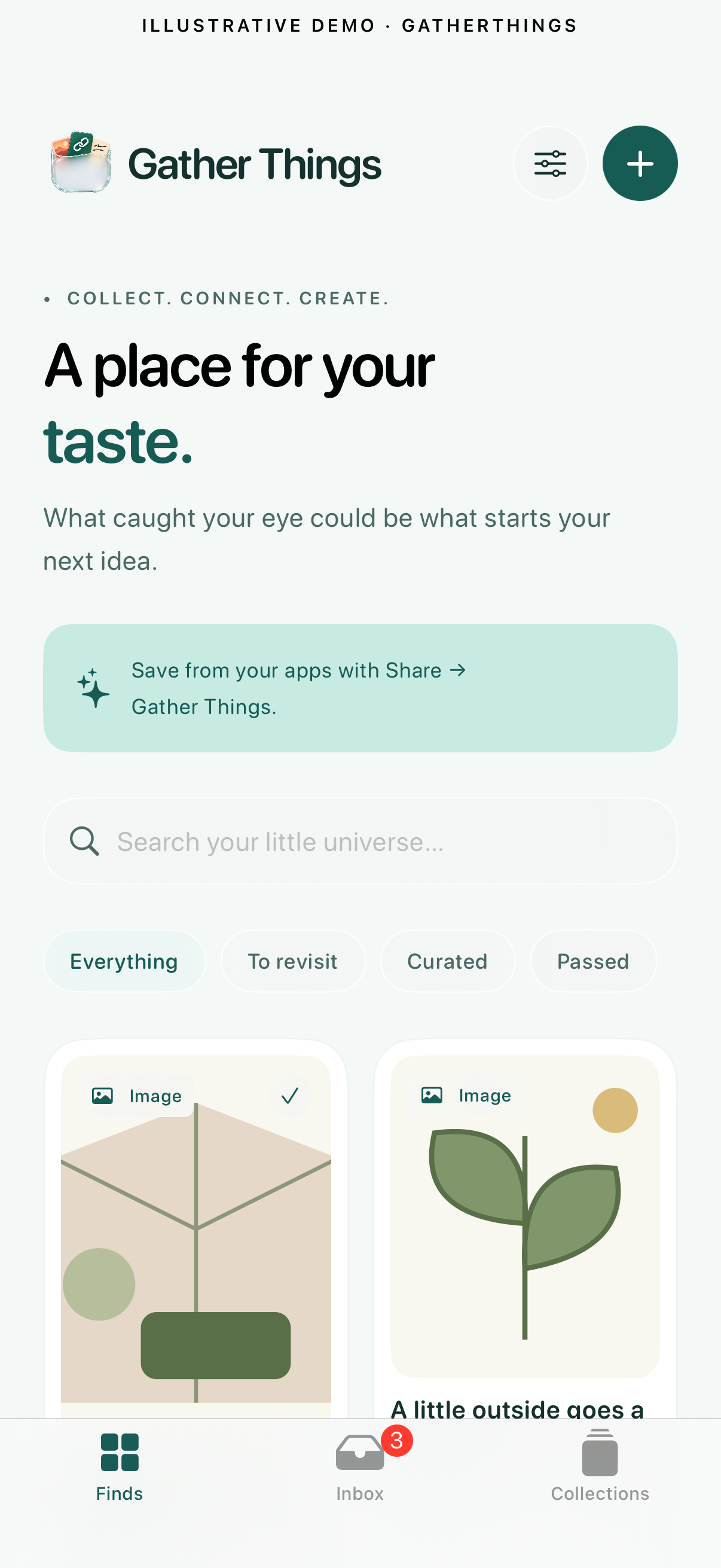
Use the iPhone share sheet to save a link, text, photo, audio, video or file. Social-video links stay bookmarks in the App Store version.
Curate your references into collections. With your permission, your Mac can analyze shared images, readable documents, recordings and supported public article or post text, surfacing multiple useful things from one source.
Browse the evidence behind an idea, then connect Codex or Claude Code from AI Connections in the Mac download. Your agents can read your library through MCP and create from that context. You can also export a Markdown brief. Live agent access in the Mac App Store edition is planned for a follow-up update.
A LITTLE ROOM TO EXPLORE
An illustrative browser demo. Save a sample, make a collection, or try organizing. Fictitious references; no uploads, private data or real AI requests.
Your sample libraryBROWSER DEMOTHINGS WORTH A SECOND LOOK
A shape to borrow
Sample visual detail: a rounded green arch.
A thought worth keeping
Sample transcript: “Leave room for the light.”
A palette in the background
Sample visual detail: rust, sage and muted blue.
ONE SOURCE. MORE THAN ONE IDEA.
A video can hold a color, a technique and a sentence you want to revisit. Optional analysis helps organize the useful pieces into collections, with evidence you can return to.
Optional analysis supports shared images, audio and video, readable-text PDFs, DOCX, notes and supported public article or post text. Use only content you are authorized to analyze. The App Store apps do not download reels from public links. Results depend on the source and your configured provider.
See how analysis worksTWO DEVICES. YOUR CHOICE.
Gather Things pairs one iPhone with one Mac. Your Mac runs the embedded processing pipeline, using your own OpenAI API key stored securely in Keychain.
Your devices need local network access. Keep the Mac awake with Companion running. iOS background timing can delay sync; changes aren’t always instant.
Install Gather Things from the iPhone App Store, then download the free Mac companion below. iPhone requires iOS 17 or later; Mac requires macOS 14 or later and Apple Silicon.
Open Companion on your Mac, scan its QR code on iPhone, and verify the host fingerprint before approving the exclusive device pair.
AI analysis is off by default. Add your own OpenAI API key on the Mac and explicitly allow analysis on both devices. Provider charges can apply. Supported new shares can queue automatically when enabled on both devices.
Available in the Mac download; coming to iPhone in 0.8.6. Choose which media types AI may read and enter a custom monthly USD allowance, or select a preset. Unset or $0 pauses paid processing. One app-side allowance covers configured provider requests; final provider charges may differ. Saving and syncing still work.
Set the maximum number of AI collections from 1 to 100 (default 20). Lowering it keeps existing collections. Deleting a collection keeps its saved items.
A HOME FOR YOUR NEXT GOOD IDEA
Free on iPhone. Free on Mac. Start gathering today.